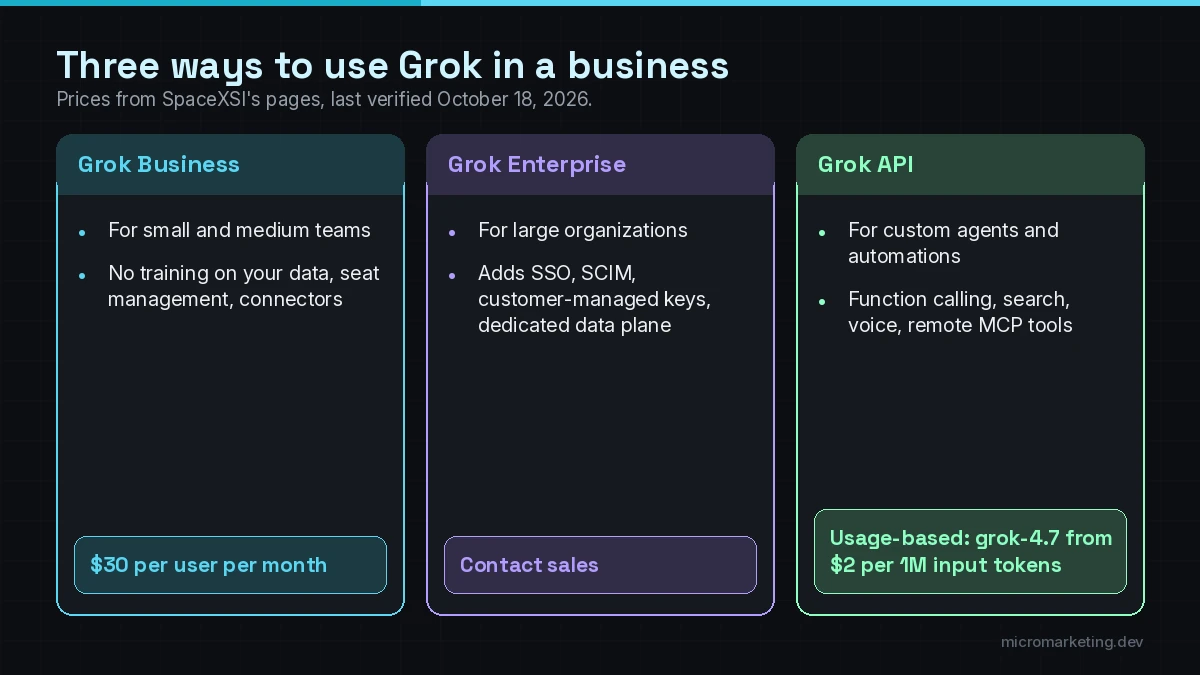
Grok for business comes in three forms: the Business plan at $30 per user per month for teams, Enterprise (contact sales) for larger organizations that need SSO, SCIM and custom encryption, and the pay-as-you-go API for building Grok into your own tools and agents. On the Business plan, SpaceXSI (formerly xAI) lists “No training” on your data, team and seat management, connectors and admin controls. Your cost depends on which form you need: seats for people who use Grok directly, or API usage for automations and agents. This guide breaks down each option, what it costs and where Grok fits in a small business.
Last verified: October 18, 2026. Pricing and plan features come from SpaceXSI’s own pages and change often, so check before you buy.
The three ways to use Grok in a business
1. Grok Business (team plan)
The Grok Business page lists the Business plan at $30 per month per user, aimed at small and medium teams. Features listed for Business include:
- access to Grok 4.7, Imagine (image and video) and Voice,
- SOC 2 compliance, role-based access control and increased rate limits,
- “No training” on your business data,
- team and seat management, consolidated billing, and domain verification,
- user analytics and custom data retention,
- connectors (the page names Salesforce, HubSpot, Slack and Notion, and supports bringing your own MCP server),
- advanced audit and security controls, and Grok Build.
The page also says Grok can produce slides, spreadsheets and documents, not just chat replies.
2. Grok Enterprise
Enterprise is contact-sales pricing. On top of everything in Business, SpaceXSI lists custom single sign-on (SSO), directory sync (SCIM), custom role-based access control, dedicated onboarding and support, customer-managed encryption keys, application-level encryption and a dedicated data plane. It’s built for organizations with formal security and identity requirements.
3. The Grok API
If you want Grok inside your own systems, like a support agent, a lead-qualification workflow or a document-processing pipeline, you use the SpaceXSI API and pay for usage instead of seats. The API page says it works with existing SDKs and includes a free playground on console.x.ai for testing before you buy.
What does Grok cost?
Here’s the pricing SpaceXSI published as of October 18, 2026.
| Option | Price | Billing basis |
|---|---|---|
| Grok Business | $30 per user per month | Seats |
| Grok Enterprise | Contact sales | Custom |
| API: grok-4.7 text | $2.00 per 1M input tokens, $6.00 per 1M output tokens | Usage |
| API: Voice (speech to speech) | $0.08 per minute | Usage |
| API: Image generation | From $0.02 per image | Usage |
The API figures come from SpaceXSI’s models and pricing docs, which list grok-4.7 with a 500k-token context window and configurable reasoning. If your use case involves very large documents, check the model page for any long-context pricing before you estimate costs.
How to think about Grok AI cost:
- People using Grok directly for research, drafting and analysis → Business seats. The cost is predictable: users × $30 per month.
- Automations and agents that run without a person in the chat → API. The cost scales with volume, so set usage limits and track cost per task.
- Both is common: a few seats for the team, plus API usage for one or two automations.
Seats or API: a quick way to estimate
Seats are simple arithmetic at the listed price: a five-person pilot on the Business plan is 5 × $30, or $150 a month, before any taxes. API costs take a little more work, because they depend on volume and on how much text each task sends and receives. A practical way to estimate:
- Pick one task, such as summarizing an inbound email and drafting a reply.
- Run it on a handful of real examples in the free playground and note the input and output tokens for each.
- Multiply the average by the listed per-token prices, then by your expected monthly volume.
- Add a margin for retries and longer-than-usual inputs, and set a usage limit in your account.
If the estimate shows an automation running thousands of times a month, the API is usually the better route than asking staff to paste work into a chat window. That’s the kind of build our AI agent development team scopes: the task, the model, the guardrails and the expected running cost, before anything goes live.
Setting up a Grok team
For a small business, a sensible Grok team rollout looks like this:
- Start with the people who’ll use it daily. Seats are per user, so begin with a pilot group.
- Verify your domain so the workspace is tied to your company, and set up seat management from day one.
- Decide what Grok can connect to. Connectors are powerful because they can read and update records. Start read-only where you can, and add write access deliberately.
- Set a data retention policy that matches your industry.
- Write a one-page usage policy: what data may go into Grok, what needs human review before it’s sent to a customer, and who to ask when unsure.
- Review usage after 30 days with the user analytics, and expand or trim seats.
Where Grok fits in a small business
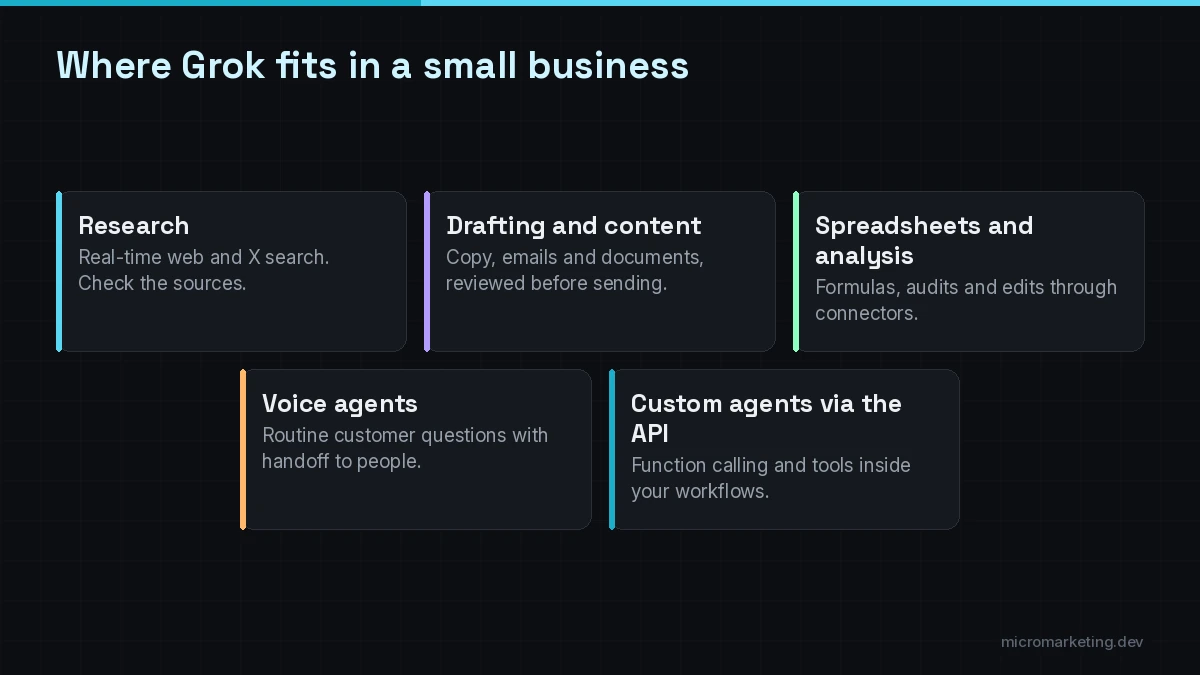
- Research with real-time search. Grok can search the web and X, which helps with competitor and market research. Always check the sources it cites.
- Drafting and content. Campaign copy, emails and documents, reviewed by a person before they go out.
- Spreadsheets and analysis. SpaceXSI says Grok can build and audit spreadsheets with formulas and edit Google Sheets and Excel through connectors.
- Voice agents. The Business page describes voice agents for routine customer questions with handoff to human agents, and the API has a speech-to-speech voice service.
- Custom agents. Through the API, Grok can power agents with function calling, web search and remote MCP tools.
Where to be careful
- Accuracy. Like every language model, Grok can be wrong. SpaceXSI’s docs note that the model has no knowledge of current events beyond its training data unless search tools are enabled, and that Grok 4.7’s knowledge cutoff is May 2026.
- Data. Use the Business or Enterprise plans for company data rather than personal accounts, so business controls like “No training” apply.
- Write access. Connectors that update CRM records need guardrails and review, just like any AI agent.
- Lock-in. If you build agents on the API, keep your prompts, tools and workflows portable so you can switch models later.
How we use Grok in client builds
We’re model-agnostic. We use Grok where it’s the best fit, for example where real-time search or voice matter, and other models where they fit better. Our AI agent development work covers the full build: mapping the process, choosing the model, connecting tools, adding approvals and monitoring after launch. If you’re just getting started, read how to use Grok first. To compare with OpenAI’s options, see GPT agents vs OpenAI AgentKit. And if you’re weighing outside help for an agent build, start with how to choose an AI agent development service. For everything else, see our AI automation services.
Frequently asked questions
How much does Grok for business cost?
As of October 18, 2026, SpaceXSI lists Grok Business at $30 per user per month and Enterprise as contact-sales. The API is usage-based, with grok-4.7 at $2.00 per million input tokens and $6.00 per million output tokens.
Does Grok train on business data?
SpaceXSI lists “No training” as a feature of the Business and Enterprise plans. Check the current terms and your workspace settings before putting sensitive data into any AI tool.
What’s the difference between Grok Business and Grok Enterprise?
Business is a self-serve team plan with security and admin features. Enterprise adds custom SSO, SCIM directory sync, custom access controls, customer-managed encryption keys, a dedicated data plane and dedicated support.
Can I build an AI agent with Grok?
Yes. The SpaceXSI API supports function calling, web and X search, remote MCP tools and voice, so Grok can power custom agents and automations. Build with approvals and monitoring, and keep your design portable.
Is Grok good for small businesses?
It can be, especially for research with real-time search, drafting, spreadsheets and voice. Start with a small pilot group, set a usage policy and measure whether it saves time before adding seats.
Want Grok working inside your workflows?
Tell us what you’d want Grok to do, whether that’s research, support or an agent that updates your CRM. We’ll tell you whether Grok, another model or a simpler automation is the best fit, and what it would cost to run. Book a free strategy call. The first consult is free.
Newsletter
Get growth playbooks in your inbox.
Practical SEO, PPC, automation, and web strategy from the Micromarketing team. No fluff, unsubscribe anytime.