An answering service takes messages, a virtual receptionist is a remote person who works from your script, and an AI receptionist is software that answers, books and transfers calls on its own. All three stop your phone ringing out. They differ in what happens next: how much of the call they can finish without you, how they handle the caller who needs a human, what they cost at your volume, and whether they’re awake at 9 p.m. on a Sunday. For a local service business, the right answer usually isn’t one of the three. It’s an AI receptionist in front with a clear path to a person behind it. This guide lays out the differences so you can decide for your own calls.
The three options, defined plainly
Vendors blur these terms on purpose, so here’s how we use them.
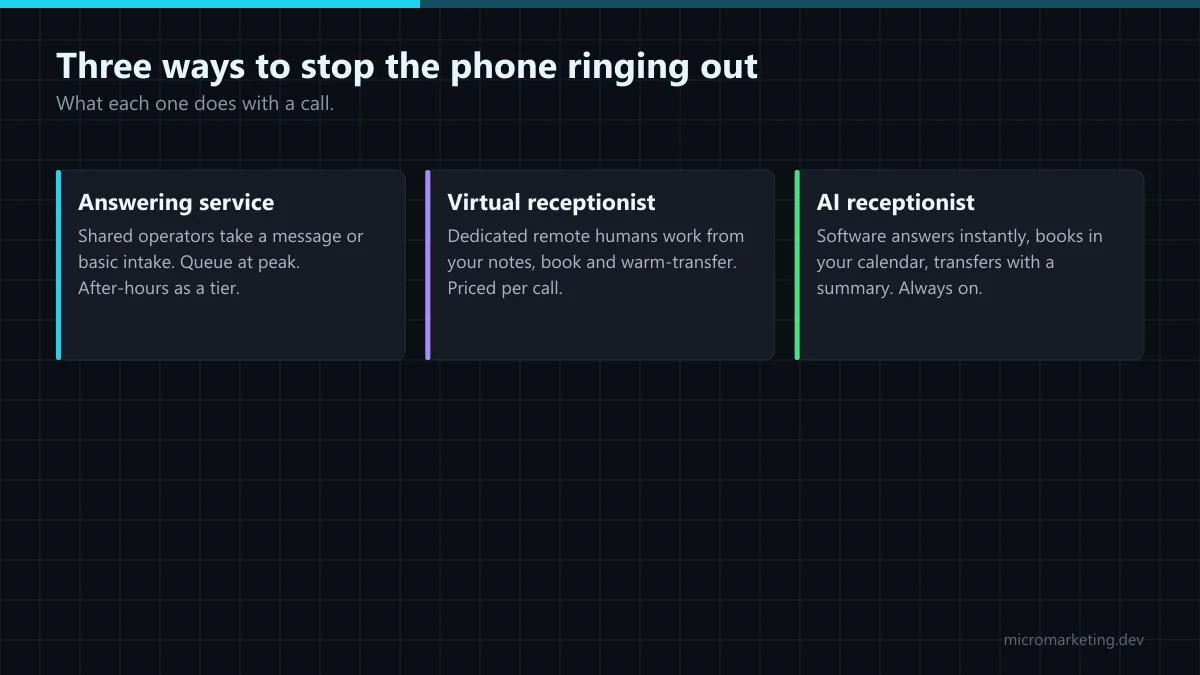
Answering service. A call center answers your line with a short greeting, takes a message or a basic intake, and sends it to you by text, email or portal. Operators handle many businesses at once and work from a brief script. Some services offer light dispatching for trades and property management.
Virtual receptionist. A remote human receptionist, often part of a small team dedicated to your account, who answers as your business. They screen callers, answer common questions from your notes, book appointments in your calendar, and transfer calls to your team. Providers such as Smith.ai sell human-first plans of this kind alongside AI plans.
AI receptionist. Software that answers your calls in a natural voice, answers questions from an approved knowledge base, qualifies callers, books or reschedules appointments in your calendar, transfers to a person when needed and writes a summary into your CRM. Products such as Rosie are built for small businesses, and agencies configure and manage them for businesses with more complex calls.
Side-by-side: what each one does with a call
| Answering service | Virtual receptionist | AI receptionist | |
|---|---|---|---|
| Who answers | Shared operators | Dedicated remote humans | Software |
| Answer speed | Queue-dependent at peak | Queue-dependent at peak | Instant, no queue |
| Routine questions | Limited to the script | From your notes | From an approved knowledge base |
| Booking | Rarely; usually takes a request | Often, in your calendar | Yes, directly in your calendar or booking tool |
| Qualification | Basic intake fields | Conversational | Conversational, from your questions |
| Handoff to your team | Message or patch-through | Warm transfer | Live transfer with summary, plus message if no answer |
| Hours | Business hours by default; after-hours as a tier | Business hours by default; after-hours as a tier | Always on |
| Consistency | Varies by operator | Varies by person | Same every call |
| Difficult callers | Human empathy, limited authority | Human empathy, more context | Scripted empathy, should transfer |
| Call records | Message summary | Notes | Transcript, summary, CRM log |
| Typical pricing basis | Per minute or per call | Per call or per receptionist-minute | Subscription plus usage |
Use the table as a map, not a verdict. The next sections explain where each row matters.
Call handling: who picks up and how fast
An answering service and a virtual receptionist both depend on a human being free when your phone rings. At peak hours, callers may wait in a queue or hear a hold message. For a plumber during a storm or a dental office at 8 a.m. on Monday, that queue is exactly when the most valuable calls arrive.
An AI receptionist answers every call at once, including three calls in the same minute. That’s its biggest structural advantage, and it’s the reason many businesses that tried a live service and found their callers still hitting voicemail move to AI.
The flip side is that software needs a well-built knowledge base to answer well. A human can improvise from context; an AI will either answer from what you gave it or, in a good setup, say “let me get someone who can help” and transfer.
Booking: taking a request vs finishing the job
This is the row where answering services fall behind. Most take a booking request and pass it to you. The call ends without an appointment, and someone on your team has to call back. Every callback is a chance for the customer to book elsewhere.
Virtual receptionists usually can book directly if you give them calendar access. AI receptionists do it natively: they check real availability, offer slots, confirm and send a text confirmation, and can handle reschedules and cancellations on the same line.
For home-services companies, booking is the whole point. A call that ends with a confirmed window on the calendar is worth far more than a message that says “wants a quote, call back.” That’s why our AI automation for home-services businesses work starts with the phone and the calendar.
Handoff: what happens when the caller needs a person
Every option needs a path to a human. The difference is how smooth it is.
- An answering service usually patches the call through or takes a message. If you don’t pick up, the caller gets a promise of a callback.
- A virtual receptionist can do a warm transfer, telling your team who’s calling before connecting.
- An AI receptionist can live-transfer with a short whisper summary, and if nobody picks up, it returns to the caller, takes a message, texts your team the summary and creates a callback task in your CRM.
Ask every vendor the same question: “What happens when the transfer fails?” The answer tells you more than any feature list.
Hours: nights, weekends and the lunch rush
AI receptionists cost the same at 3 a.m. as at 3 p.m. Live services often price after-hours coverage as a separate tier or an overnight plan, and the people answering overnight may not be the same team that knows your account.
If a meaningful share of your calls come outside business hours, which is normal for emergency plumbing, HVAC, locksmiths and urgent dental, that cost difference alone can decide the comparison.
Cost: how each one is priced
- Answering services usually bill per minute of operator time or per call, with monthly minimums.
- Virtual receptionists bill per call or per receptionist-minute, usually at a higher rate than a message-only service because each call takes longer and does more.
- AI receptionists bill a monthly subscription with a call or minute allowance, plus overage and add-ons, and sometimes a setup or management fee for done-for-you plans.
The pattern is simple: the more a human does on each call, the more you pay per call. The AI’s per-call cost is low, so it wins on routine volume. The honest comparison, though, isn’t price per call. It’s the cost of each option against the revenue you lose when calls go unanswered or unbooked. We break the numbers down in AI receptionist cost in 2026: pricing explained.
Where each option wins
Where live humans still win
We build AI front desks, and we still tell some clients to keep a human on the line for certain calls. Humans are better when:
- The caller is distressed. A flooded basement at midnight or a patient in pain wants a person, even if the AI could technically book them.
- The call is legally or medically sensitive. Intake with liability attached needs a trained person and a clear record.
- The caller will not talk to software. Some customers hang up on anything that sounds automated. A disclosed AI with a fast transfer path reduces this, but doesn’t eliminate it.
- Your calls are genuinely unpredictable. If no two calls are alike and there’s no script, a human improvises better.
None of those mean “no AI.” They mean the AI should recognize those calls and transfer fast.
Where an AI receptionist wins
The AI is the better choice when:
- Volume spikes. No queue, no busy signal.
- Calls are repetitive. Hours, pricing ranges, service areas, “do you do X,” and bookings.
- After-hours matters. Same cost, same quality at any hour.
- You need records. Every call transcribed, summarized and logged in your CRM without anyone typing.
- Consistency matters. The same disclosure, the same questions, the same booking rules on every call.
If you want to see how we score products on those points, our best AI receptionist framework walks through five criteria and a test-call plan.
The hybrid setup most local businesses end up with
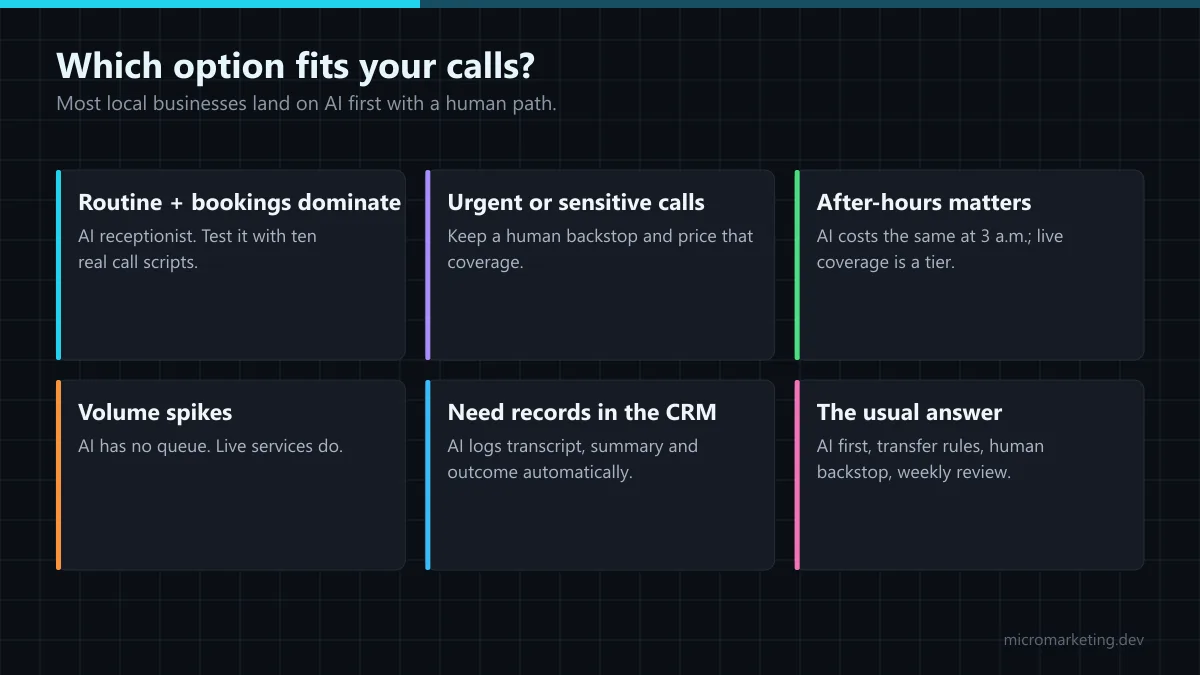
After enough of these comparisons, the pattern is consistent. Most local service businesses do best with:
- AI first. Every call answered instantly, routine questions handled, bookings made, spam screened.
- Rules for transfer. Emergencies, upset callers, specific keywords and anything the AI isn’t sure about go to a person right away.
- A human backstop. That person is your own team during the day and, if you need it, a live-agent service or on-call phone after hours.
- Weekly review. Someone reads transcripts, fixes wrong answers and adjusts the transfer rules.
This gives you the AI’s speed and cost on the calls that are routine, and human judgment on the calls that aren’t. Some vendors sell this as a hybrid plan. Otherwise it’s built with forwarding rules and a bit of configuration, which is what our AI receptionist service does for clients, alongside the broader AI automation services that handle what happens after the call.
How to decide in an afternoon
- Pull a week of calls and sort them: routine, booking, qualification, urgent, junk.
- Note the share after hours and at peak.
- If routine and booking calls dominate, shortlist AI receptionists and test them with ten real scripts.
- If urgent or sensitive calls are common, decide who the human backstop will be and price that coverage.
- If you want the AI to book, confirm the calendar or job-management integration exists at the plan you’d buy.
- Pick the setup, not the vendor. AI-first with a human path beats any single option for most local businesses.
If you’d like a second opinion on your call mix, that’s a short conversation. See the closing section.
Frequently asked questions
What is the difference between an answering service and a virtual receptionist?
An answering service answers calls and takes messages, usually from a shared pool of operators with a short greeting script. A virtual receptionist is a remote human who works more closely from your instructions: screening callers, answering common questions, booking appointments and transferring calls. Virtual receptionists cost more per call because they do more per call.
Is an AI receptionist better than a live answering service?
It depends on the calls. An AI receptionist answers instantly at any hour, handles routine questions and bookings consistently and costs less per call. A live service is better for emotionally difficult or legally sensitive calls, and for callers who will not talk to software. Many businesses use AI first with a human fallback.
Can an AI receptionist transfer calls to a real person?
Yes, most can live-transfer to a phone number or ring group, and some can play a short whisper summary to the person picking up. Check what happens when nobody answers the transfer: a good setup takes a message, texts you a summary and creates a callback task instead of dropping the caller.
Do answering services and AI receptionists work after hours?
AI receptionists answer around the clock at the same price. Many answering services and virtual receptionist providers offer after-hours coverage, but it is often a higher-priced tier or a separate overnight plan. If after-hours calls matter to you, price that coverage specifically.
Can I combine an AI receptionist with a human answering service?
Yes, and for many businesses that is the best setup. The AI answers every call first, handles routine questions and bookings, and transfers urgent or sensitive calls to your staff or a live-agent service. Some vendors sell this as a hybrid plan; otherwise you can set it up with call forwarding rules.
Work out which one fits your phones
Tell us how your calls break down and who answers today. We’ll tell you honestly whether you need AI, a human service or both, and what each would cost at your volume. Book a free strategy call. Want to map the booking flow in detail first? Book an AI Appointment Assistant session with Tony. You can also read how our AI receptionist service is set up with a human backstop.
Newsletter
Get growth playbooks in your inbox.
Practical SEO, PPC, automation, and web strategy from the Micromarketing team. No fluff, unsubscribe anytime.