
Best AI Receptionist in 2026: How to Pick the Right One
The best AI receptionist answers in your voice, books into your calendar and hands hard calls to a person. Use this 5-point framework to compare options.

The best AI receptionist for your business is the one that answers in your voice, books straight into the calendar you already use, hands tricky calls to a person within seconds, tells callers they’re talking to AI, and charges in a way that fits your call volume. No product wins on all five for every business. A dental office, a plumber and a law firm need different things from the same phone line. So instead of a ranked list with made-up scores, this guide gives you the five-point framework we use with clients, compares three real products on public information, and shows you how to run a fair test before you sign anything.
Why “best” depends on your calls, not on a review site
Most “best AI receptionist” lists rank tools on features. Features matter, but they aren’t what decides whether the tool works for you. Your calls decide that.
Before you compare anything, pull a week of call history and sort it into buckets:
- Routine questions: hours, location, pricing ranges, “do you do X?”
- Bookings and reschedules: new appointments, moves, cancellations.
- Qualification: new leads who need two or three questions before they’re worth a callback.
- Urgent or sensitive calls: emergencies, upset customers, anything with legal or medical weight.
- Everything else: vendors, spam, wrong numbers.
If most of your calls are routine and bookings, nearly any modern AI receptionist software can help. If a big share are urgent or sensitive, the handoff rules matter more than anything on the feature list. That’s the lens for the rest of this guide.
What an AI receptionist should do on every call
Think of it as a job description. A good AI phone receptionist should:
- Answer every call fast, including nights, weekends and the lunch rush.
- Handle the routine questions from a knowledge base you approve, not from the open internet.
- Qualify callers with the same questions your best front-desk person asks.
- Book, move or cancel appointments in your real calendar or booking tool.
- Transfer or escalate when the caller asks for a person or the call goes off-script.
- Take a clean message when no one is free, then send you a text or email summary.
- Log the call (summary, transcript where allowed, outcome) in your CRM.
If a product can’t do 4, 5 and 7 in your setup, it’s an answering machine with a nicer voice.
The five-point framework for comparing AI receptionist software
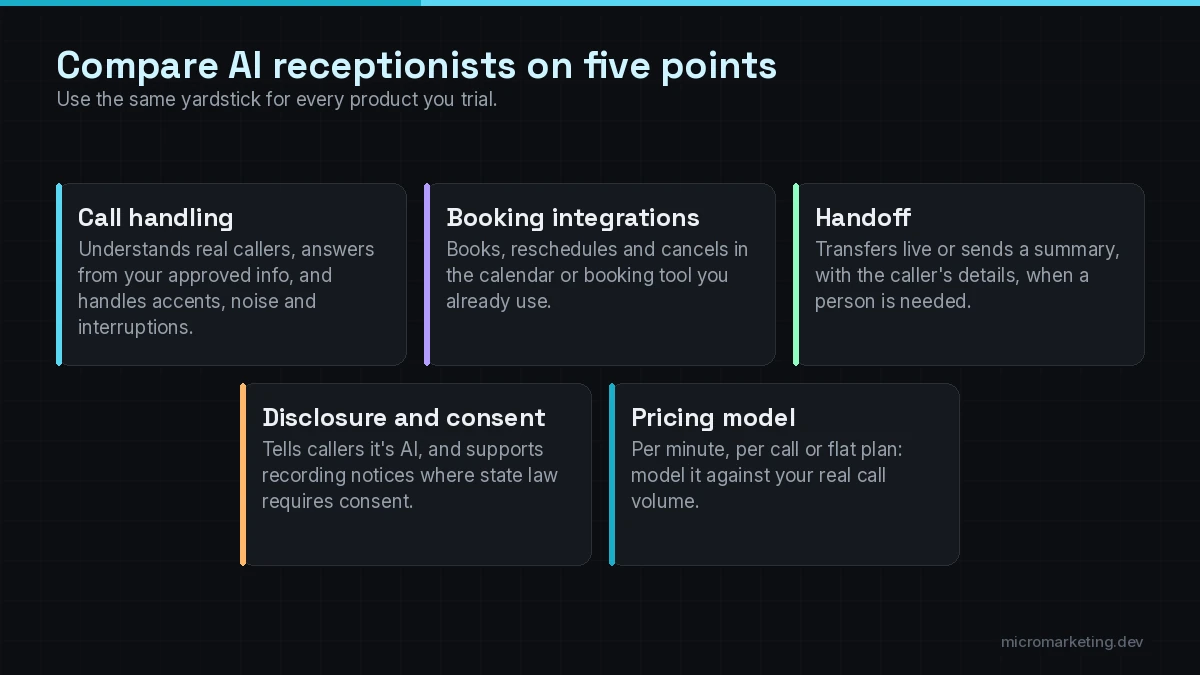
1. Call handling quality
This is how the receptionist sounds and how well it copes with real people. Listen for:
- Latency. Long pauses make callers talk over the AI or hang up.
- Interruptions. Can the caller cut in (“actually, it’s for Thursday”) without breaking the flow?
- Accents, background noise and spelling. Names, street addresses and email addresses are where weak systems fail.
- Staying on script. It should answer from your approved information and say “let me get someone” instead of guessing.
You can’t judge this from a demo page. You judge it from test calls (see the test plan below).
2. Booking integrations
“Books appointments” can mean three very different things:
- Native integration: it writes directly into Google Calendar, Outlook, or your scheduling or practice-management tool, and checks real availability.
- Booking link: it texts the caller a link to book themselves. Useful, but the call ends without a confirmed appointment.
- Message only: it collects the request and your team books it later.
Ask which one you’ll get with your exact tools, and whether it can handle reschedules, cancellations, buffers between jobs and different appointment types. This is where a “top-rated AI virtual reception for booking appointments” either earns the rating or doesn’t.
3. Handoff and escalation
The AI should know when to stop. Check:
- Can it live-transfer to a person or a ring group, with a short whisper summary?
- What happens when nobody picks up the transfer? Voicemail, message, callback task?
- Can you set rules by caller type, time of day or keyword (“emergency,” “cancel my account”)?
- Does the summary reach your team in the channel they actually watch (text, email, Slack, CRM)?
4. Disclosure, recording and consent
We recommend the receptionist tells callers it’s an AI assistant in the greeting. It’s honest, and it sets expectations. If calls are recorded or transcribed, you need a consent notice that fits the states your callers are in. Call-recording consent rules vary by state, and some states require every party’s consent, so get your own legal advice on the greeting wording. If you’re in healthcare or handle sensitive data, ask the vendor in writing how recordings and transcripts are stored and who can access them. This isn’t legal advice; it’s the list of questions to bring to your lawyer and your vendor.
5. Pricing model
AI receptionist pricing is usually built from some mix of:
- a monthly subscription with a call or minute allowance,
- per-minute or per-call overage,
- add-ons (extra numbers, integrations, outbound calls, SMS, bilingual support),
- setup fees or a done-for-you onboarding charge.
The cheapest plan on paper can cost more if your calls are long or your volume spikes. Model it against the call history you pulled earlier.
Three real products, compared on public information
To make the framework concrete, here’s how three AI receptionist products describe themselves on their own websites. We haven’t scored them, and we aren’t affiliated with any of them. This is a snapshot of public claims so you know what to ask.
Last verified: October 18, 2026. Vendors change features and prices often; check each site before you decide.
| Smith.ai | Rosie | Dialzara | |
|---|---|---|---|
| How it positions itself | AI receptionists plus live human agents, with AI-first, hybrid and human-first plans | AI answering service for small businesses | AI receptionist, with outbound voice, SMS and website chat on the same platform |
| Booking | Says it books and reschedules on your calendar during the call | Says it books appointments | Says it books appointments directly to your calendar |
| Handoff | Routes complex or urgent calls to your team or its live agents | Transfers to a live person when needed | Not detailed on the homepage; ask in a demo |
| Call records | Transcript, summary and intake data sent to your systems | Every call summarized, transcribed and recorded; details texted to you | Call summaries by email; screens spam and qualifies leads |
| Advertised starting price | See its plans page (human-first hybrid is listed per call) | “Starting at $49/month,” 7-day free trial | ”From $29” in its page title, 7-day free trial |
| Good first question to ask | Which calls go to AI and which go to a human on my plan? | How does it learn my services, and how do I correct it? | Does my calendar have a native integration, and what’s included in the base plan? |
Sources: Smith.ai, Rosie, Dialzara.
Notice what the table can’t tell you: how each one sounds on your calls, with your callers. That’s the test.
How to run a fair test before you buy
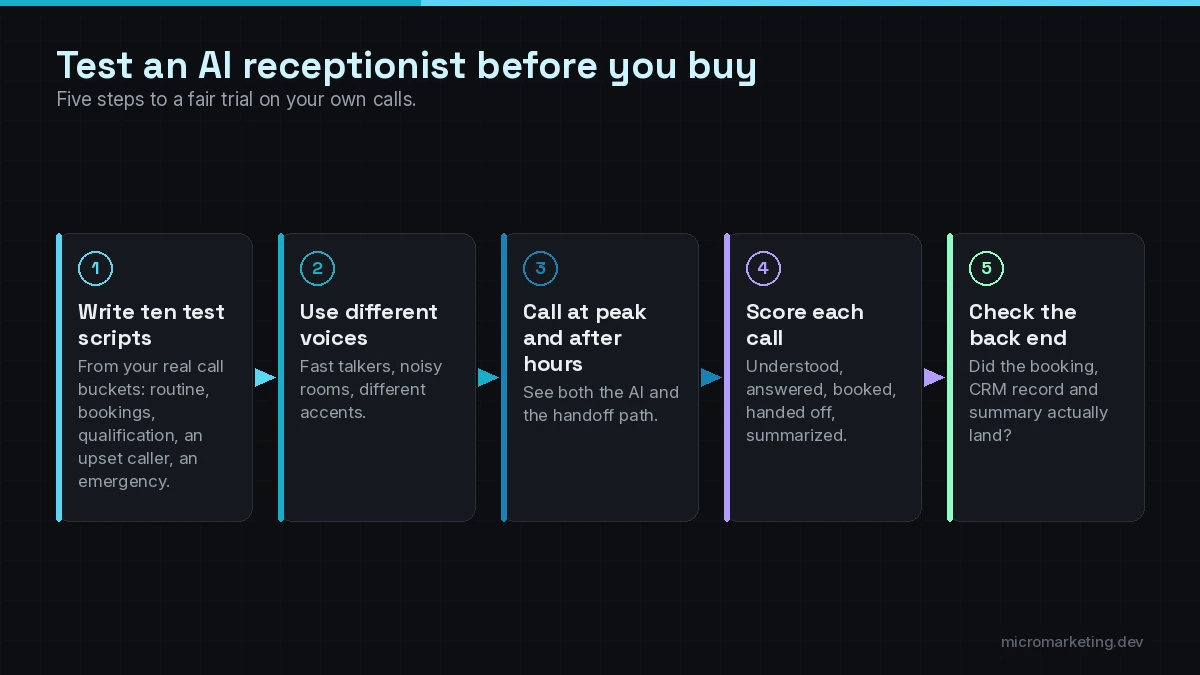
Shortlist two or three options and run the same test on each:
- Write ten test scripts from your real call buckets: three routine questions, three bookings (one with a reschedule), two qualification calls, one upset caller, one emergency.
- Use different voices. Ask a few people to call, including someone who talks fast and someone calling from a noisy place.
- Call at peak time and after hours to see both the AI and the handoff path.
- Score each call on five things: understood the request, answered correctly, booked correctly, handed off correctly, and wrote a usable summary.
- Check the back end. Did the appointment actually land in the calendar? Did the CRM record appear? Did the summary reach the right person?
Keep the score sheet. It’s your evidence when you pick, and your baseline when you tune the system after launch.
AI receptionist software vs a done-for-you setup
Most AI receptionist products are self-serve. You sign up, connect a calendar, type in your FAQs and forward your number. For a simple business with routine calls, that can be enough.
It gets harder when you need:
- booking rules across several staff, locations or service types,
- CRM updates that match how your sales team works,
- escalation rules that differ by caller, time or keyword,
- a second channel (text, website chat) that shares the same knowledge,
- someone who reviews transcripts every week and fixes what the AI got wrong.
That’s the work we do. Our AI receptionist software, set up and managed for you service configures the tool on your scripts, calendar and CRM, tests it with your real call types, and keeps tuning it after launch. If you need more than a front desk, such as outbound follow-up or reminder calls, compare it with our AI voice agents. And if your calls are only one piece of the manual work slowing you down, start with our broader AI automation services.
For a wider view of what’s worth automating first, see the manual tasks small businesses should automate in 2026. If you want to know which customer calls suit AI and which don’t, read AI voice agents for customer service: what they handle.
Frequently asked questions
What is the best AI receptionist for a small business?
The best AI receptionist for a small business is the one that handles your most common call types, books into the calendar you already use, and transfers hard calls to a person reliably. Shortlist two or three tools, run the same ten test calls on each, and pick the one that scores best on your own calls.
Can an AI receptionist book appointments directly into my calendar?
Often, yes, but it depends on your tools. Some products write straight into Google Calendar, Outlook or specific booking systems. Others only text the caller a booking link or take a message. Confirm the exact integration with your calendar before you buy.
Should an AI receptionist tell callers it’s an AI?
We recommend it. A short disclosure in the greeting is honest, sets expectations and helps you stay on the right side of disclosure and call-recording rules. Get legal advice on the exact wording for your state and industry.
How much does AI receptionist software cost?
Pricing usually combines a monthly plan, a call or minute allowance, overage charges and add-ons, and some vendors charge setup fees. Advertised starting prices vary widely, so model the cost against a real week of your call volume and average call length.
Can I keep my existing business phone number?
Usually, yes. Most AI receptionists work through call forwarding from your current number, so customers keep calling the number they already know. Check with your carrier and the vendor during setup.
Find out what your front desk is missing
Tell us how your phones work today: who answers, when calls go to voicemail, and how bookings happen. We’ll show you where an AI receptionist fits and where a person should stay on the line. Book a free strategy call. The first consult is free. Prefer to map the booking flow in detail? Book an AI Appointment Assistant session with Tony. You can also read how our AI receptionist service is set up and launched.
Newsletter
Get growth playbooks in your inbox.
Practical SEO, PPC, automation, and web strategy from the Micromarketing team. No fluff, unsubscribe anytime.